How to Calculate VAT on an Invoice UK (Complete Beginner Guide With Examples)
Many small business owners feel confused when they create their first VAT invoice. Even a small mistake in VAT calculation can change the final price and create trouble later. But once you learn the right method, VAT feels simple and easy to manage.
Introduction
If you run a business in the UK, you will deal with VAT invoices very often. It does not matter if you are a freelancer, shop owner, or run small contract work. Sooner or later, you will need to calculate VAT on an invoice the right way.
Many beginners think VAT calculation is difficult. But in real life, it becomes much easier once you understand how VAT works and how prices are set.
You may already know that the standard UK VAT rate is 20 percent. Some goods use 5 percent or even 0 percent, depending on their category.
In this complete guide, you will learn:
- how VAT invoices work
- how to calculate VAT step by step
- how to add VAT to an invoice
- how to remove VAT from totals
- common mistakes to avoid
- real examples you can follow
By the end of this guide, you will feel confident creating VAT invoices without confusion.
What Is a VAT Invoice in the UK
A VAT invoice is a document that shows how much VAT was charged on a sale. VAT registered businesses issue this invoice when they sell goods or services.
In simple terms, a VAT invoice shows the total price in three clear parts:
- Net amount (price before VAT)
- VAT amount
- Total amount (price after VAT)
This clear breakdown helps businesses keep their VAT records correct and send accurate reports to HMRC.
For example, imagine you sell website design services worth £500. If VAT applies, you must add VAT to that price and show the calculation clearly on the invoice so the customer can see how the total was made.
Without a proper VAT invoice, businesses cannot claim VAT back on their expenses. That is why VAT invoices are an important part of daily business tasks.
Later in this guide, you will see how this connects with VAT calculations and invoice structure.
Why VAT Calculation on Invoices Matters
Many beginners think VAT calculation is just basic math. But in real business situations, it affects several parts of your daily work.
The first reason VAT calculation matters is accuracy. Even a small mistake in VAT can create problems in your financial records, which means your numbers may not match later.
If you charge the wrong VAT amount, your total invoice becomes incorrect. This can confuse customers and also create accounting mistakes.
Another reason is following HMRC rules. HMRC (His Majesty’s Revenue and Customs) is the UK tax authority, and it requires VAT-registered businesses to calculate VAT correctly and report it during VAT returns.
Incorrect VAT records can lead to penalties or fines. That is why many businesses double-check VAT amounts before sending invoices to customers.
VAT also affects your profits. If you misunderstand VAT amounts, you may think you earned more money than you actually did.
For example, if you receive £120, you might think the full £120 is your profit. But if VAT is included, only £100 belongs to your business, and £20 must be paid to HMRC.
This is why learning VAT invoice calculation is not optional. It is a basic skill that every business owner needs.
VAT Rates Used on UK Invoices
Before calculating VAT on an invoice, you must first know which VAT rate applies. Different types of goods and services use different VAT rates in the UK.
The UK uses three main VAT rates, and each one is used for specific types of goods and services.
Standard VAT Rate (20%)
This is the most common VAT rate in the UK. Most everyday goods and services use this rate.
Examples include:
- electronics
- clothing
- consultancy services
- digital services
Most businesses apply this rate when creating their invoices.
Reduced VAT Rate (5%)
Some basic goods and services use a lower VAT rate to reduce their cost.
Examples include:
- home energy
- children’s car seats
- certain renovation work
This reduced rate helps keep the cost lower for services that people use regularly.
Zero VAT Rate (0%)
Zero rated goods still follow VAT rules, but the VAT rate is set at zero percent.
Examples include:
- most food items
- children’s clothing
- books
Businesses must still record these sales, even though no VAT is charged.
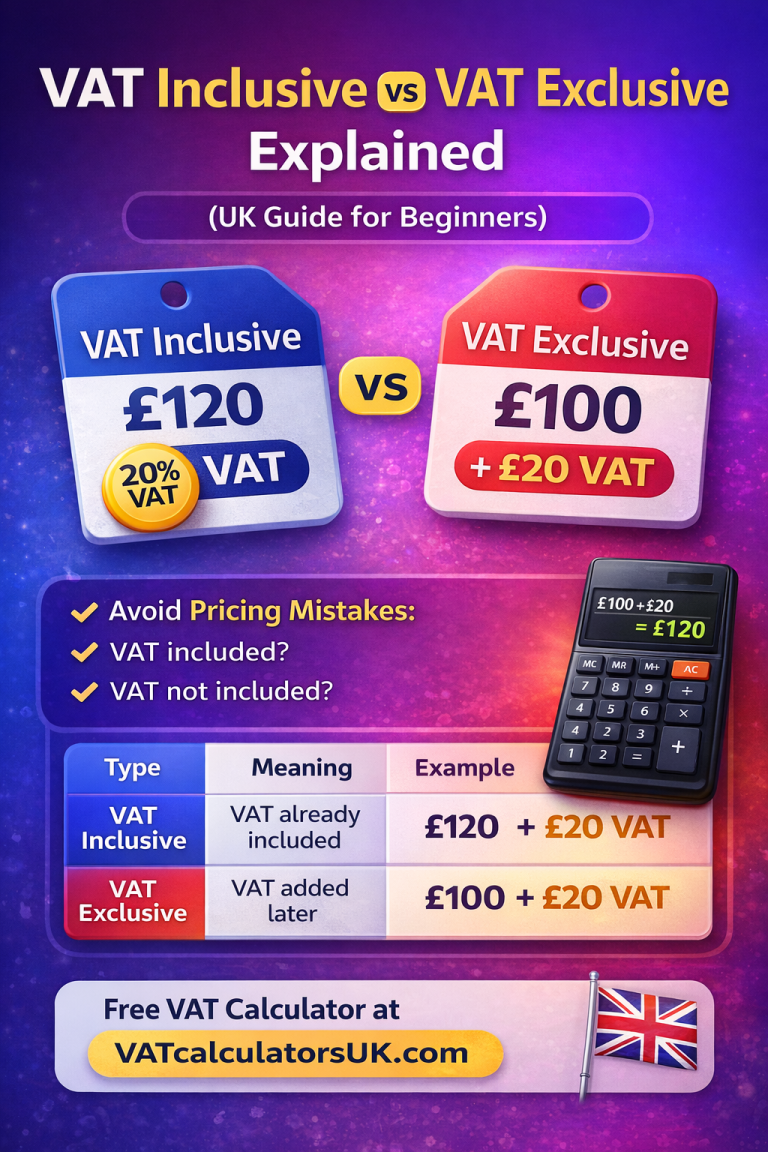
Understanding VAT Exclusive and VAT Inclusive Prices
Before you calculate VAT on an invoice, you first need to understand the difference between VAT exclusive and VAT inclusive prices.
Many beginners feel confused at this stage, but once you clearly understand the difference, VAT calculations become much easier to handle.
VAT Exclusive Price
A VAT exclusive price means VAT is not included in the price yet. This means you must add VAT before creating the final invoice total.
For example:
Service price: £100
VAT rate: 20%
VAT amount:
£100 × 20% = £20
Total invoice:
£100 + £20 = £120
Here, £100 is VAT exclusive because VAT was added later to reach the final total. You can also use our Add VAT Calculator to do this instantly.
VAT Inclusive Price
A VAT inclusive price means VAT is already included in the total price. To find the original price, you need to remove VAT from the total.
For example:
Total price: £120 (including VAT)
You must remove VAT from this amount to find the original price before VAT.
This situation is common when you receive supplier invoices, where the total already includes VAT.
Many businesses deal with both types of pricing every day. Understanding the difference helps prevent simple calculation mistakes.
How to Calculate VAT on an Invoice Simple Method
Now let’s move to the most important part of this guide — calculating VAT on an invoice.
Calculating VAT follows a simple pattern. Once you understand it, you can use the same steps for any price.
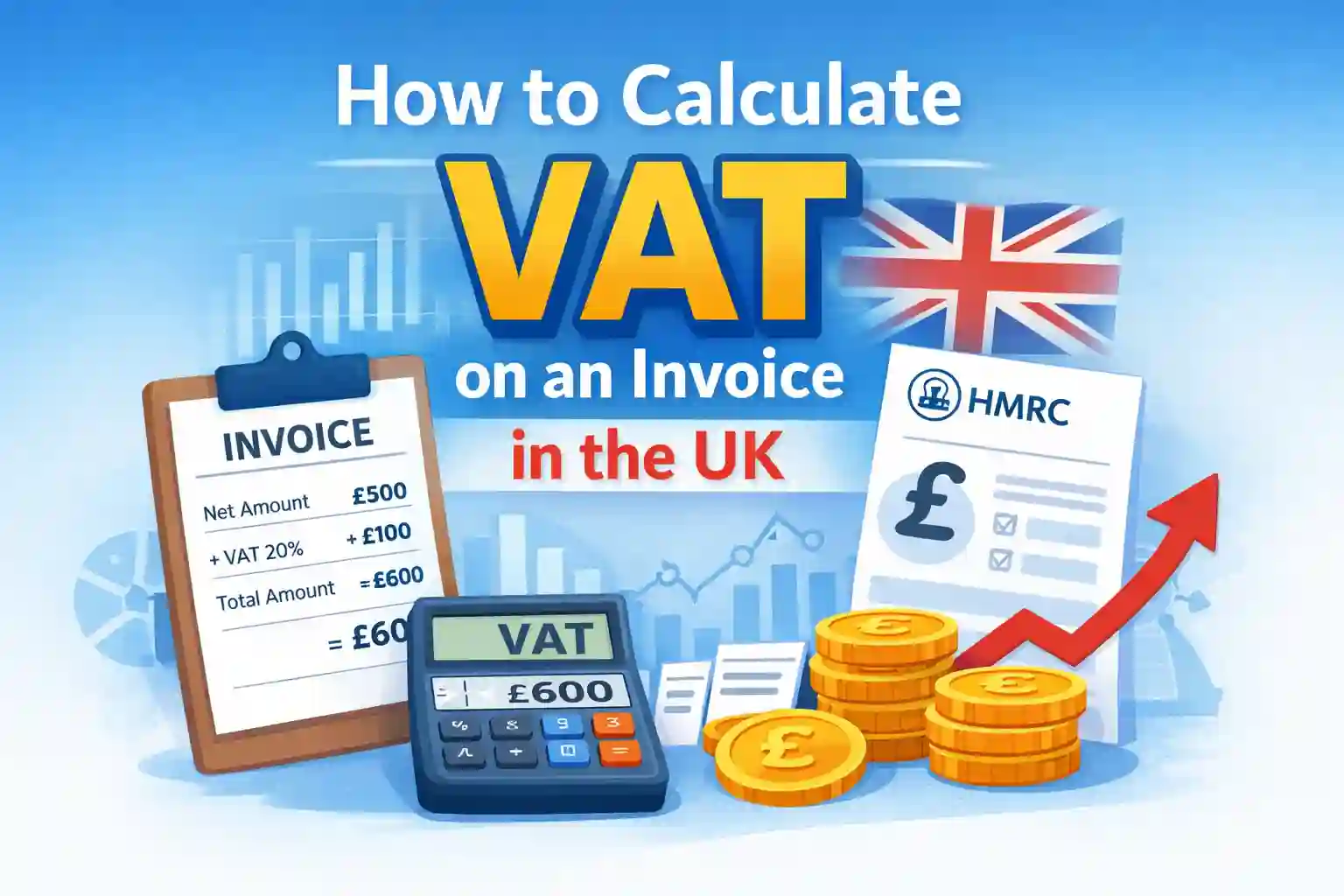
Let’s imagine you are preparing an invoice for a customer. Your service price is £500, and the VAT rate is 20 percent.
First, calculate the VAT amount by multiplying the price by the VAT rate.
£500 × 20% = £100
Next, add the VAT amount to the original price.
£500 + £100 = £600
So the invoice will show:
Net amount: £500
VAT: £100
Total: £600
You can use this same method for any price. Just multiply the net amount by the VAT rate, then add the result to the original price.
Many beginners start by doing this by hand. Later, they often use an online VAT calculator to save time and avoid small mistakes.
Real VAT Invoice Examples (Beginner Friendly)
Examples make VAT easier to understand because you can see how numbers work in real situations. Let’s look at some practical cases you may face in daily business work.
Example 1: Freelance Service Invoice
Imagine you are a freelance graphic designer. You complete a logo design project worth £300.
VAT rate: 20%
VAT calculation:
£300 × 20% = £60
Total invoice:
£300 + £60 = £360
So your invoice will show:
Net: £300
VAT: £60
Total: £360
This type of calculation is very common for freelancers who charge clients for services.
Example 2: Retail Business Invoice
Now imagine you run a small retail shop. You sell products worth £750.
VAT rate: 20%
VAT:
£750 × 20% = £150
Total:
£750 + £150 = £900
Retail shops use this same method when adding VAT to product sales.
Example 3: Contractor Invoice
Let’s say you are a building contractor. You complete work worth £2,000.
VAT rate: 20%
VAT:
£2,000 × 20% = £400
Total:
£2,000 + £400 = £2,400
This example shows that as project value increases, the VAT amount also increases.
How to Add VAT to an Invoice
Adding VAT is one of the most common tasks in business. This usually happens when your price does not include VAT yet.
Imagine you provide consulting services worth £800.
VAT rate: 20%
First, calculate VAT:
£800 × 20% = £160
Then add VAT to the original price:
£800 + £160 = £960
Your final invoice total becomes £960.
This method works the same no matter how small or large the amount is.
How to Remove VAT From an Invoice
Sometimes you receive an invoice where VAT is already included in the total amount. In that case, you do not need to add VAT. Instead, you remove VAT to find the original price before tax.
This situation happens often when you receive supplier invoices or when customers give you prices that already include VAT.
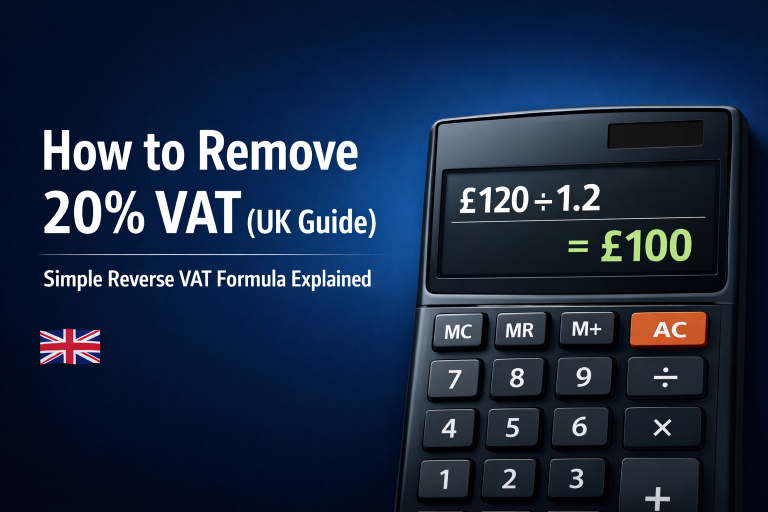
To remove VAT, divide the total price by 1 + VAT rate.
Let’s look at a simple example to understand this clearly.
Imagine the total invoice amount is £120, and the VAT rate is 20 percent.
You divide the total by 1.20.
£120 ÷ 1.20 = £100
This shows that the original price before VAT was £100, and the VAT portion was £20.
So the invoice breakdown becomes:
Net amount: £100
VAT amount: £20
Total amount: £120
You can use this same method for any VAT-inclusive price, no matter how big or small the amount is.
Many businesses use this method daily when checking supplier invoices or calculating reclaimable VAT (this means VAT you can claim back from HMRC).
You can also link this section to your VAT Backwards calculator page, because removing VAT follows the same reverse VAT method.
What Must Be Included in a VAT Invoice HMRC Rules
A VAT invoice is not only about numbers. It must include certain details required by HMRC. If important details are missing, it can create problems during audits (official checks of your records) or VAT returns.
When creating a VAT invoice, make sure the following information is included.
Your business name and address must appear clearly so people can see who issued the invoice.
Your VAT registration number must also be visible. This shows that your business is officially registered for VAT.
Each invoice must have a unique invoice number. Every invoice should have its own number so your records stay organized.
The invoice date must be included. This helps track when the sale or service happened.
You should also include the customer’s name and address. This shows who received the goods or services.
A clear description of goods or services must be written. Customers should easily understand what they are paying for.
The price before VAT must be shown. This is called the net amount, which means the price before tax is added.
The VAT rate used must also be listed, such as 20 percent or 5 percent.
The VAT amount should be displayed separately so it is easy to see how much tax was added.
Finally, the total amount including VAT must be shown clearly.
When all these details are included, your invoice follows HMRC rules correctly. This lowers the chance of mistakes, penalties, or rejected VAT claims.
Common VAT Invoice Mistakes to Avoid
Even experienced business owners can make mistakes when calculating VAT. These mistakes may look small at first, but they can cause real problems when preparing VAT returns or checking records.
One common mistake is using the wrong VAT rate. Some goods use reduced or zero VAT rates, but many businesses apply the standard rate without checking the correct category.
Another mistake is not showing VAT separately on the invoice. If VAT is hidden inside the total without a clear breakdown, the invoice may not meet VAT rules.
Some businesses also forget to include their VAT registration number. Without this number, the invoice may not be accepted as a valid VAT invoice.
Rounding errors also happen often. When calculations are done by hand, small decimal differences (numbers after the dot, like 0.25) can appear. Over time, these small differences build up and create problems in reports.
Another mistake is mixing VAT inclusive and VAT exclusive prices without fully understanding the difference. This often leads to incorrect totals on invoices.
Avoiding these mistakes makes your VAT work easier and helps reduce stress when preparing VAT returns.
Manual vs Calculator VAT Calculation
Many businesses start by calculating VAT by hand. This helps them understand how VAT works and how totals are built step by step.
Manual calculation is especially helpful when learning VAT basics because you can see each part of the calculation clearly.
However, as a business grows, manual calculation becomes slower and harder to manage. It also increases the chance of small mistakes.
This is where online VAT calculators become useful.
A VAT calculator allows you to enter an amount and VAT rate, and the tool calculates the VAT instantly. This saves time and reduces the chance of calculation errors.
For example, if you link to your own VAT Calculator homepage, users can quickly calculate VAT without remembering formulas. This makes your website more helpful for visitors.
Many businesses use both methods. They learn the manual method first, but depend on calculators for daily work.
Manual vs VAT Calculator Comparison
| Feature | Manual VAT Calculation | VAT Calculator |
|---|---|---|
| Learning Value | Helps understand VAT steps clearly | No need to remember formulas |
| Speed | Takes more time | Gives results instantly |
| Mistake Risk | Higher chance of small errors | Lower chance of mistakes |
| Best For | Beginners learning VAT | Daily business use |
| Effort Level | Requires manual work | Very quick and simple |
| Real Use Case | Learning VAT basics | Handling many invoices |
When Businesses Must Issue a VAT Invoice
Not every sale requires a VAT invoice, but VAT-registered businesses must issue them in several common situations.
You must issue a VAT invoice when selling goods or services to another VAT-registered business. This allows the buyer to claim VAT back later.
VAT invoices are also required when customers request them. Even if the customer is not VAT registered, they may still need a VAT invoice for their records.
Businesses usually issue VAT invoices when selling services, products, or digital items where VAT applies.
However, some small sales may use simplified invoices instead of full VAT invoices.
Understanding when to issue VAT invoices helps keep your records clear and reduces confusion later.
Tips for Accurate VAT Invoice Calculation
VAT becomes easier when you build simple daily habits. These small habits help prevent mistakes and keep your records neat.
Always double-check the VAT rate before calculating totals. Since different goods use different VAT rates, confirming the correct rate helps avoid costly mistakes.
Try to use the same format for every invoice. Keeping invoices in a consistent layout (same structure each time) makes them easier to review later.
Store copies of all invoices safely. Many businesses prefer digital storage because files stay organized and are easier to find when needed.
Whenever possible, use accounting software or VAT calculator online. These tools handle calculations automatically, which reduces the chance of manual mistakes.
Before sending invoices to customers, take a moment to review them. A quick final check often catches small errors early.
Keep your VAT records updated regularly instead of leaving them for later. Waiting too long can make the work pile up and become harder to manage.
Following these habits makes VAT work easier and helps you avoid stress when preparing VAT returns.
VAT Invoice Format Example UK
Seeing a sample invoice makes VAT rules much easier to understand. Let’s imagine a business called ABC Web Services Ltd sending an invoice to a client.
A typical VAT invoice may look like this:
Business Name: ABC Web Services Ltd
VAT Number: GB123456789
Customer Name: John Smith
Invoice Number: 00125
Invoice Date: 10 March 2026
Service Provided: Website Design
Net Amount: £500
VAT Rate: 20%
VAT Amount: £100
Total Amount: £600
This example shows how a basic VAT invoice looks in real business situations. Each section clearly displays the important details needed for VAT records.
Using this format helps make sure your invoice follows VAT rules and stays easy for customers to read and understand.
Manual VAT Calculation vs Using Software
Many small businesses start by creating manual invoices using spreadsheets. This method works well when the number of sales is low.
However, as the business grows, managing many invoices by hand becomes harder and takes more time.
Software tools help handle calculations automatically, which means the system does the math for you and reduces the chance of mistakes.
These tools can also store invoice records, create reports, and help prepare VAT returns when needed.
Instead of calculating the same numbers again and again, the software completes the steps quickly in the background.
This saves valuable time and lets business owners focus on running their business instead of checking numbers all day.
How VAT Connects With VAT Returns
VAT invoices are not only used for customers. They are also needed when preparing VAT returns.
A VAT return is a report sent to HMRC that shows how much VAT you collected and how much VAT you paid.
Every invoice adds information to this report.
Sales invoices show output VAT, which means the VAT you collect from customers when you sell goods or services.
Purchase invoices show input VAT, which means the VAT you pay to suppliers when buying goods or services.
The difference between these two amounts decides how much VAT you need to pay to HMRC or how much VAT you can reclaim (claim back).
Keeping invoices accurate makes VAT returns much easier to prepare and reduces the chance of mistakes.
Real-Life Scenario: Small Business VAT Invoice
Let’s imagine a small IT support company that provides monthly maintenance services to a client.
Service cost: £900
VAT rate: 20%
VAT calculation:
£900 × 20% = £180
Total invoice:
£900 + £180 = £1,080
This company sends invoices every month, so they gradually collect records of all VAT charged to customers.
When VAT return time arrives, they use these saved invoices to calculate their total VAT amounts.
This example shows how VAT invoices become part of everyday business work.
Frequently Asked Questions
How do I calculate VAT on an invoice in the UK?
You multiply the net price by the VAT rate. Then you add the VAT amount to the original price to get the final total.
What is the standard VAT rate in the UK?
The standard VAT rate in the UK is usually 20 percent for most goods and services.
How do I remove VAT from a total amount?
Divide the total amount by 1 + VAT rate. This gives you the original price before VAT.
Can I issue invoices without VAT?
Yes, businesses that are not VAT registered can issue normal invoices without VAT.
Do all businesses need VAT invoices?
Only VAT-registered businesses must issue VAT invoices for VAT-applicable sales.
What happens if I calculate VAT incorrectly?
Incorrect VAT may lead to accounting errors or reporting issues. It is best to review invoices carefully before sending them.
Can I use a VAT calculator instead of manual calculation?
Yes, many businesses use online VAT calculator because they are faster and more accurate.
What details must appear on a VAT invoice?
A VAT invoice must include business details, VAT number, invoice number, date, VAT rate, VAT amount, and total price.
How often should I review VAT invoices?
It is a good habit to review invoices regularly, especially before submitting VAT returns.
Is VAT included in all prices?
Not always. Some prices are VAT exclusive, while others are VAT inclusive.
Conclusion
Learning how to calculate VAT on an invoice in the UK may feel confusing at first. Many beginners struggle with VAT rates, invoice formats, and calculation steps.
But once you understand the basic pattern, VAT becomes much easier to handle.
The main idea is simple. First, check whether the price includes VAT or not. Then apply the correct VAT rate. After that, double-check your totals before sending the invoice.
With practice, these calculations start to feel routine. Many businesses also use VAT calculator to save time and avoid small mistakes.
Accurate VAT invoices help keep your financial records clear, reduce errors, and make sure your business follows VAT rules correctly.
When your invoices are correct, your VAT returns become easier to prepare. And when records stay organized, your daily business work becomes much smoother.